
 Browser floor plan platform
Draft in 2D, review in 3D, and deliver floor plans without switching tools.
ZerothFloor helps mixed professional teams create multi-floor plans, collect async comments on public review pages, generate starting layouts from prompts, and export the result in drawing, BIM, data, and 3D formats.

 What ZerothFloor replaces
One workflow from draft to delivery
The product is designed to keep the plan, review loop, and export path together.
Inside the project
2D drafting, live 3D review, AI starts, and version checkpoints.
Outside the project
Public review links, comments, reusable public plans, and export-ready handoff.
Best fit
Teams that need a practical plan workflow, not a generic diagram tool or a pure visualization app.
 Audience fit
Built for mixed professional workflows
ZerothFloor is meant to work across design, build, and review roles without pretending every team needs the same interface.
Design teams
Draft structured plans, save checkpoints, review in 3D, and keep delivery formats close to the source plan.
Contractors and builders
Use browser-based plans, public review links, room schedules, and export-ready handoff without a heavyweight desktop setup.

Reviewers and stakeholders
Open view-only plan pages, switch floors, leave comments, and review layouts without needing editor access.
 Core capabilities
The product story the landing pages were missing
These are the workflows already present in the app and now brought forward in the public story.
Precision 2D floor plan editor
Draft walls, rooms, doors, windows, stairs, text, dimensions, and items in a browser-based floor plan editor built for day-to-day delivery work.

Multi-floor planning
Organize projects floor by floor, duplicate levels, overlay ghost floors, and keep per-floor settings attached to the right plan.
Live 2D to 3D review
Switch from drafting to live 3D walkthroughs, section cuts, floor filtering, and 3D exports without leaving the project.

AI floor plan generation
Generate a starting floor plan from a prompt, then refine it with the same editor used for manual drafting and export.
Public sharing and async review
Publish view-only plan pages, collect comments, and clone public plans back into private workspaces as reusable starting points.
Export and delivery formats
Deliver plans in presentation, CAD, BIM, schedule, data, and 3D formats from the same project workspace.
 Public plan loop
Public plans are proof, review surface, and starting points
ZerothFloor's public plan directory is more than a gallery. Teams can publish view-only pages, gather async comments, and clone a promising public plan into a new private workspace when reuse is faster than redrawing.
 View-only review pages
Share floor plans publicly without giving reviewers editor access.
Collect feedback on the public page and review it later from the owner-side panel.
 Clone to workspace
Turn a public plan into a private starting point when a shared plan is close to your next job.
Use the live directory as product proof instead of treating marketing as a promise without examples.
The mobile apps stay separate, but connected
The web floor-plan product is the main story here. The iPhone and iPad apps remain a separate part of the ZerothFloor family for field-specific roof, stair, and deck workflows.
Roof Rafter: Framing Calc
Roof framing math, diagrams, and PDF packets from iPhone or iPad.

Stairs 3D: Framing Calculator
Offline stair plans, 3D inspection, and shop-ready exports.
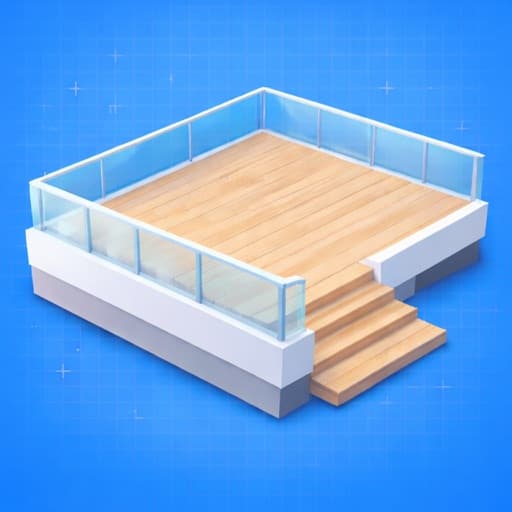
Decks 3D: Deck Builder
Framing-first deck plans, 3D review, and local build documents.
 Next paths
Go deeper by workflow
The conversion pages lead. The resource pages support teams that want details before they jump in.
Feature library
Explore product stories tied to real workflows.
How-to guides
Step-by-step help for everyday workflows.
Supporting resources
Use these when you need extra product detail.